App Store Feature Brief
CodexPocket is a companion app for continuing the Codex already running on a user's own Mac from an iPhone. The point is not to turn the phone into another development machine. The point is to make it easy to push the same work a little further while you are away from the desk.
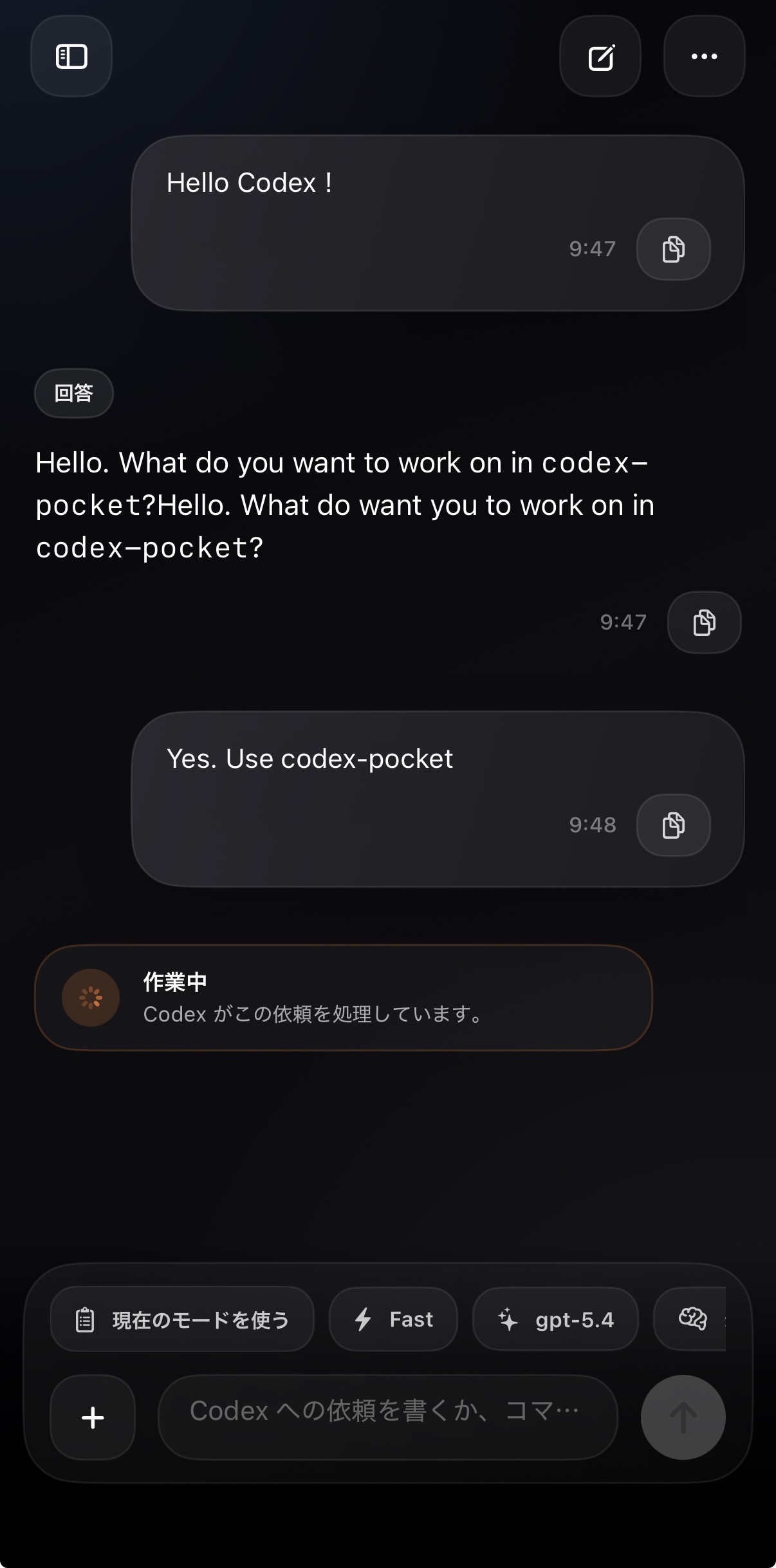
In one sentence
- Keep the real execution on the Mac, while using the iPhone to check progress and send follow-ups
- Pair with a QR code and connect to your own Mac on the same LAN for first setup
- Open projects and threads, send short instructions, switch branches, fork conversations, and review results from the phone
What this launch is trying to show
- long-running Codex work can stay useful even when you step away from the desk
- the real workspace, Git state, and thread source of truth remain on the Mac
- even when Managed Relay is used, the runtime and thread source of truth remain on the user's own Mac
- the UI ships in Japanese and English
The fastest way to understand the experience
- Launch
CodexPocketMacon the Mac and show the QR code inPairing - Open
Add from QRon iPhone and scan it - After import finishes, open a project that already exists on the Mac
- Resume an active thread or create a new one
- Send a short follow-up and read the result on the iPhone
| Mac side | iPhone side |
|---|---|
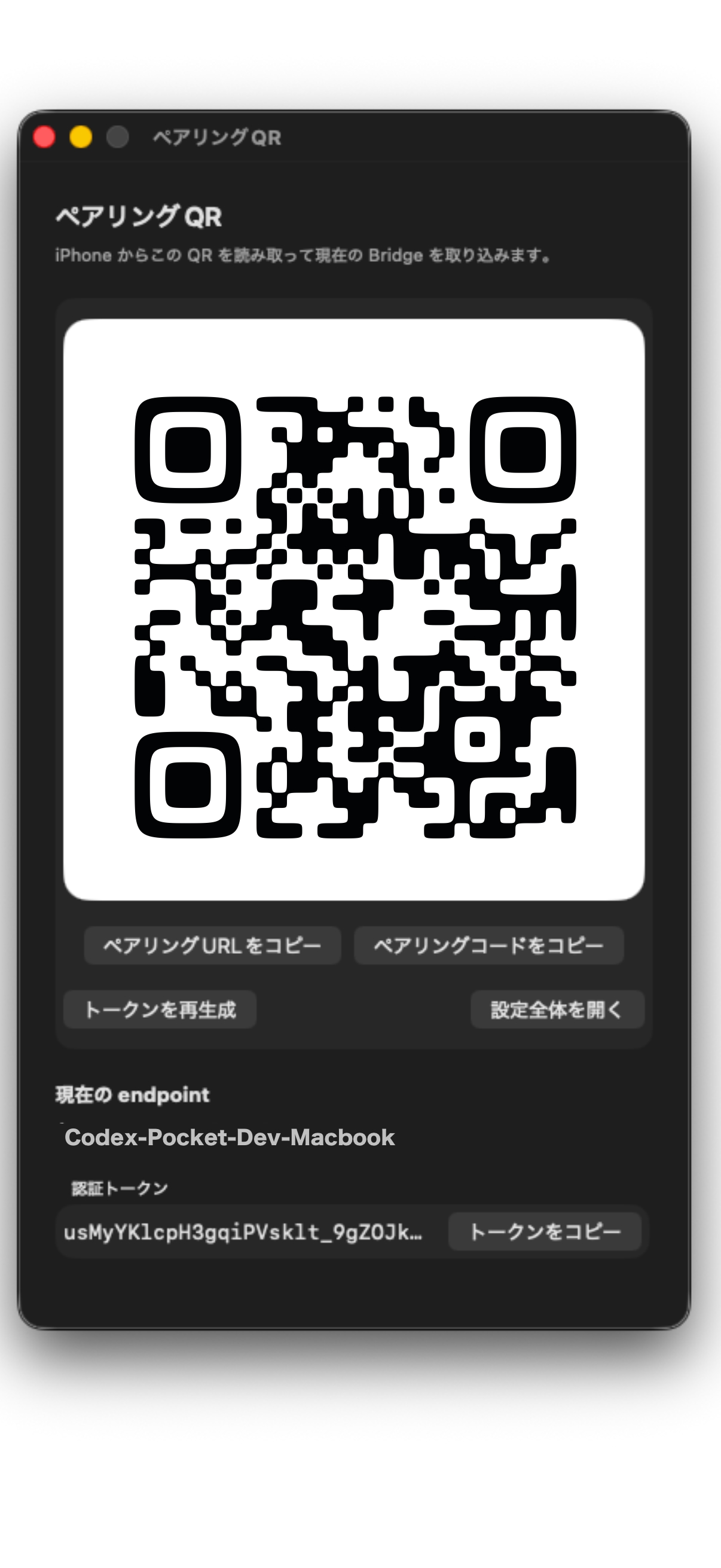 | 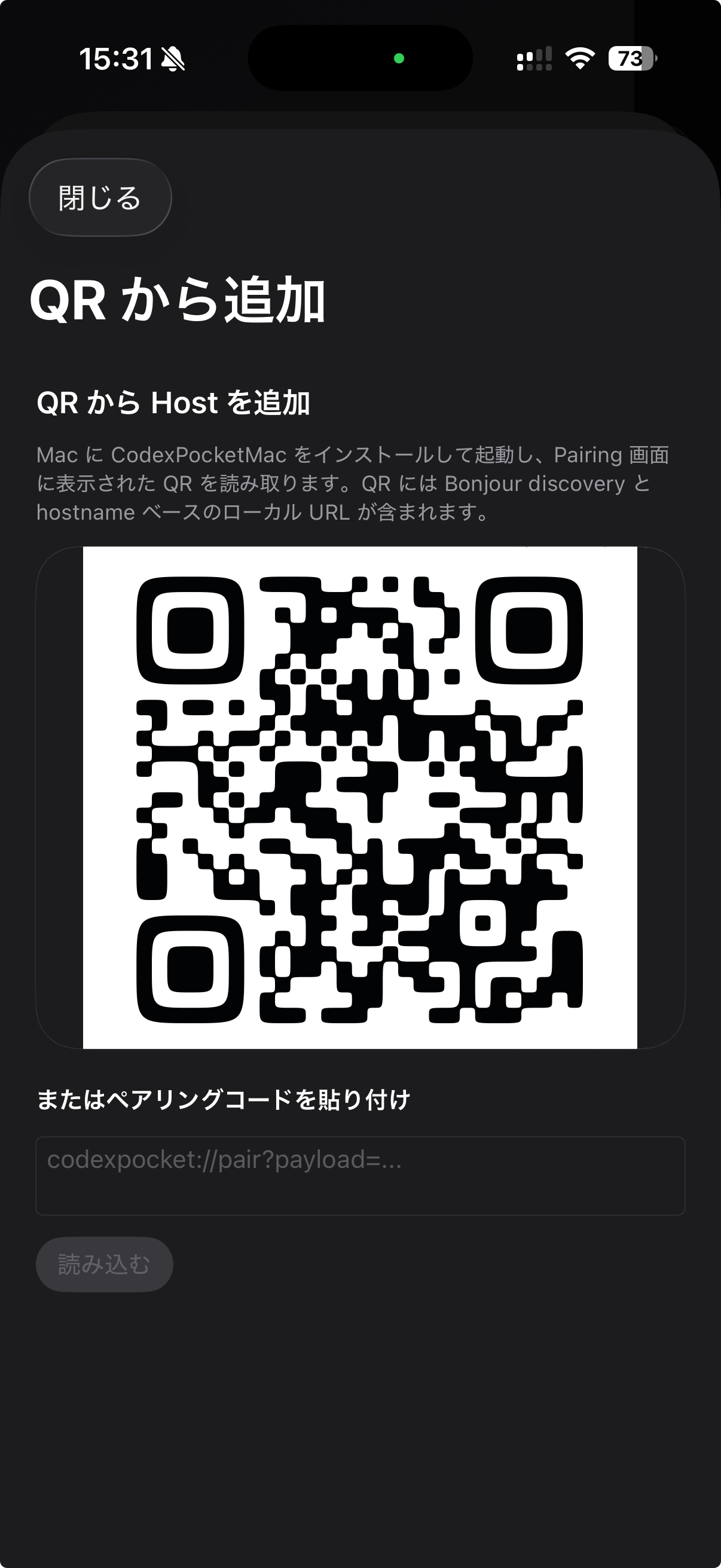 |
What makes it different
- It does not try to turn the iPhone into a second IDE. It carries only the control surface away from the desk.
- It connects to the user's own Mac on the same LAN for first setup, then can continue from another network after Managed Relay is saved.
- It focuses on a touch-first path built around pairing, projects, threads, and short follow-ups.
- A large share of the app itself has already been built while using CodexPocket in day-to-day development.
Current launch scope
| Item | Current scope |
|---|---|
| Client | iOS (iPhone) |
| Companion | CodexPocketMac |
| Network | same local network for first setup; another Wi-Fi network or mobile data after Managed Relay is saved |
| Languages | Japanese, English |
| Mac distribution | public stable 0.1.3 |
| iPhone distribution | App Store launch preparation in progress |
Privacy and permissions
- the iPhone app does not send user data to developer-operated servers for storage
- it does not include analytics, advertising, or tracking SDKs
Local Networkis used to discover the user's own Mac bridge during first setup and local connections,Cameraonly to scan the QR code,Photosonly for user-chosen image attachments, andNotificationsonly for local on-device completion alerts